

Schema builder
Define the shape of your data — field types, options, and relationships.
Fields that fit your workflow
The schema builder is where you decide what each entry can store: text, numbers, dates, selects, references to other entries, and more.
You are not locked into a template. Build only the properties you need, name them clearly, and refine them as you learn what actually helps day to day.
Field types
Every property in a schema uses one of the built-in field types below. Together they cover text, numbers, dates, flags, and links between collections.
- Short text field
- Single-line text for titles, names, labels, and other compact values.
- Long text field
- Multi-line text for descriptions, notes, and longer prose.
- Number field
- Numeric values. Good for making precise queries and charts.
- Boolean field
- A yes/no toggle for properties that are simply on or off — for example billable, recurring, active etc.
- Date field
- A calendar date without a time component.*If the field is configured to be required, creating a new entry pre-fills this field automatically with the current date.
- Datetime field
- A date and time together, for timestamps and scheduled moments.*If the field is configured to be required, creating a new entry pre-fills this field automatically with the current date and time.
- Reference field
- Links an entry to one or more members of another collection — the field you use when collection A should pick values from collection B.
- Reverse reference field
- The counterpart on collection B when collection A already has a reference field pointing to B. Shows which entries in A link to each entry in B, without defining the same relationship twice.
Linking collections
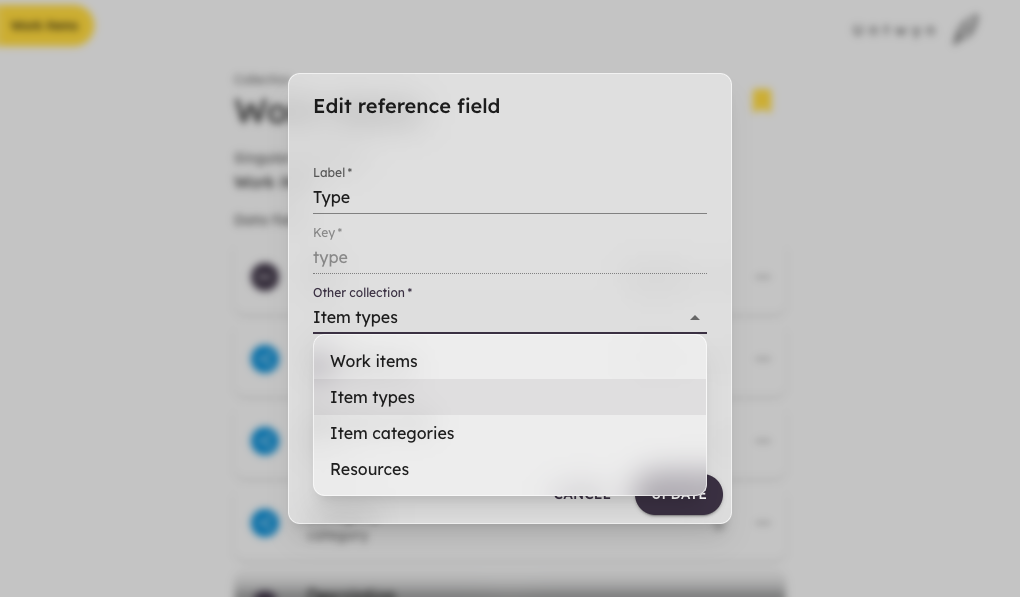
Entries in one collection can point at entries in another. Add a Reference field, choose which collection to link to, and that property becomes a picker backed by the other collection's members.
For example, a Work items collection can use a Type field that references an Item types collection — each work item picks from the types you maintain separately, instead of retyping labels or maintaining duplicate lists.
Those links also power filters, charts, and references on the planning canvas so connected data stays one click away.
Evolving over time
Workflows change. You can extend a schema with new fields without rebuilding the collection from scratch.
Keep schemas focused: fewer, well-named fields usually stay clearer than copying every column you have ever seen in a spreadsheet.
Good to know
Each field in a collection has a key property — the stable identifier that binds your data together. Stored values, filters, charts, and references all rely on it.
Unlike labels, keys cannot be edited after a field has been created. That may change in the future.